












01
Sign up

Just enter your email address and set a password, to get instant access to your account.
01
02
Add your property
Using our simple Advert Builder tool, get ready to advertise your property. You'll be guided through 4 easy steps:
1. Add the details of your property
2. Add your availability for viewings (so tenants can request viewings at times that suit you)
3. Add your personal information and upload proof of ID
4. Pay for the plan and publish your advert!
02
03
Respond to enquiries and viewing requests
Check out your Tenant Finder for all enquiries and requests to view your property.
On each request to view you can see information about the person's household, affordability of the rent, source of income, and much more. If you need more detail, you can contact them using our in-app message tool. You can then accept or decline their viewing request.
03
04
Review offers
Tenants submit offers through their account, and you see them in your Tenant Finder.
You can accept, reject, or send a counter offer.
04
05
Complete Compliance
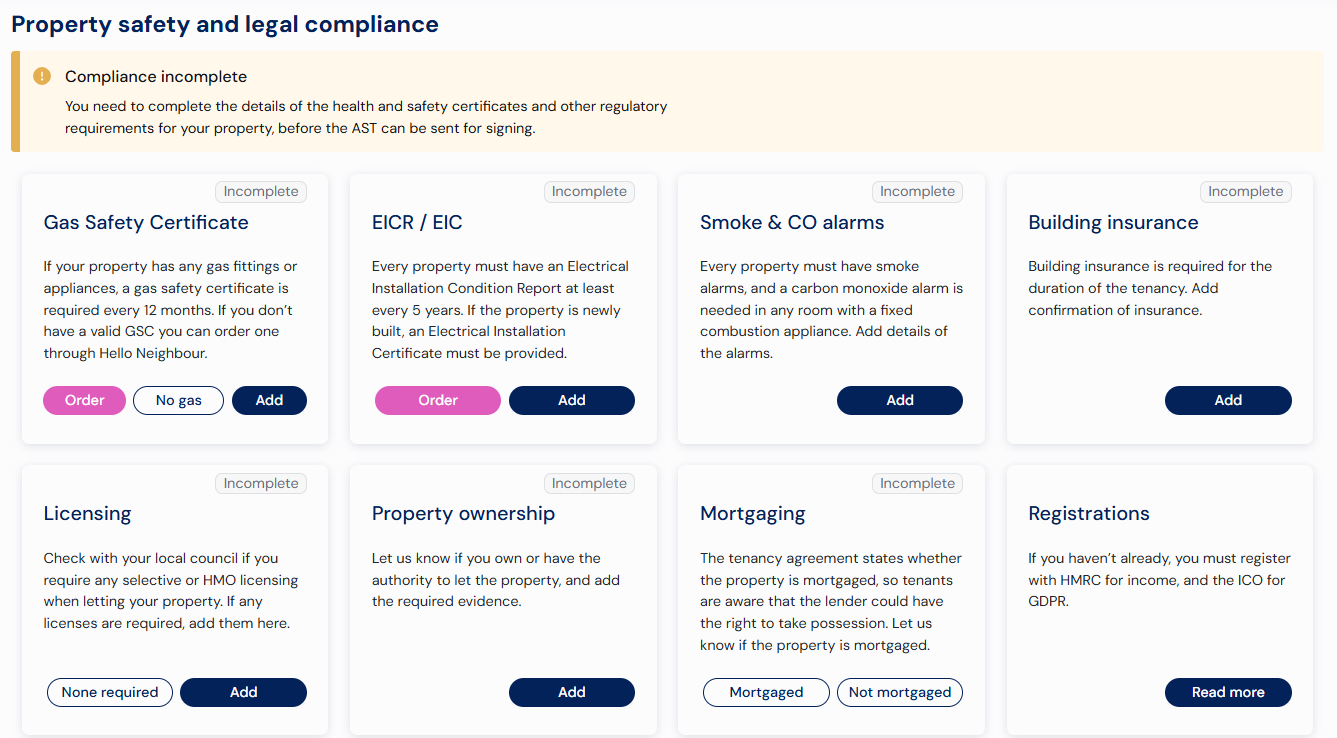
Your Compliance page shows all the certificates and checks you’ll need to stay compliant.
Need a Gas Safety Certificate or EICR? You can order them here, and we’ll add them to your account when they’re complete.
You’ll be able to send the agreement for signing once all compliance requirements are in place - helping keep everything safe and legally sound.
05
06
Get References
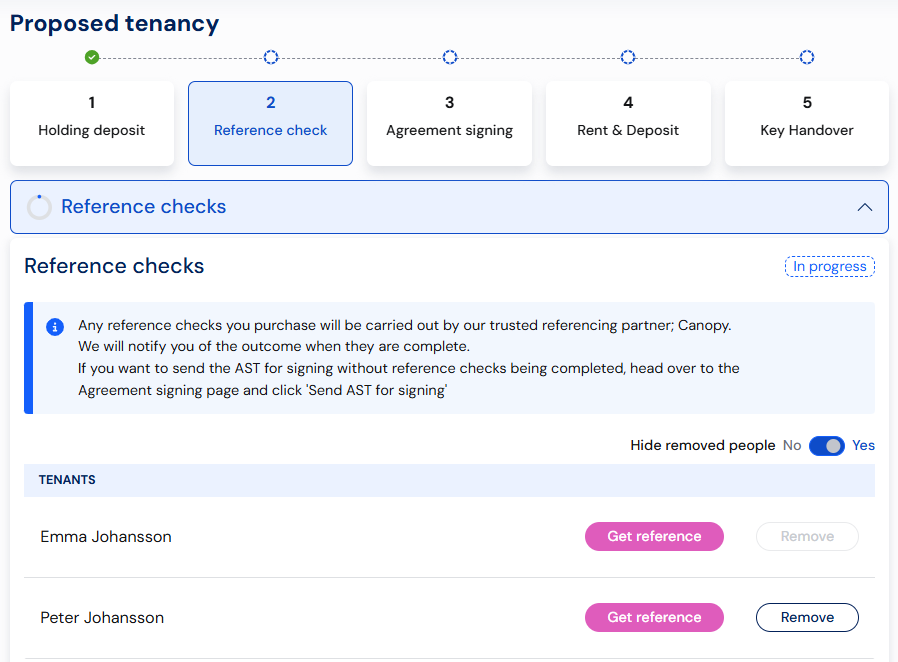
After the holding deposit is paid, your Proposed Tenancy will appear.
Tenants and guarantors are listed on the References page - you can order references there or skip this step if you’re using your own process.
06
07
Send the contract

Your Tenancy Agreement page shows the key terms agreed in the offer. These details will be included in your tenancy agreement when you select Send AST for signing.
The agreement will then be sent electronically to you, the tenants, and any guarantors for signature. You’ll be able to track who has signed, and once everyone has completed it, the tenant will automatically be prompted to pay the first month’s rent and deposit.
07
08
Arrange Key Handover

Once the contract is signed, the tenant will pay the first month's rent & security deposit securely through their Hello Neighbour account. We'll register the deposit for you and send you the first month's rent.
Once the money is received, we automatically serve all the legally required documentation to the tenant.
All that is left for you to do is enter the details of the key handover so the tenant can see when and where they are meeting you. If you prefer, we can arrange for a professional inventory, with or without check-in, and we'll add the details in that case.
08